The most important thing to understand is that Roblox VNG is a separate Roblox environment for users in Vietnam.
Roblox's current Terms of Use state that users in Vietnam are required to use the Roblox VNG application and its associated services. Roblox Vietnam is published and operated in Vietnam by Minh Phuong Thinh Communication Company Limited under separate terms.
That is why the normal global Roblox setup and the Vietnamese setup should not automatically be treated as identical. For users searching for Delta VNG, the real question is not simply: “Where can I download Delta?” It is: “Which Delta build matches the Roblox application I am actually using?” That distinction is at the center of this guide.
Delta Executor VNG Quick Information
| Information | Details |
|---|---|
| Name | Delta Executor VNG |
| Main region | Vietnam |
| Main platform | Android |
| Roblox environment | Roblox VNG |
| Package type | APK |
| Global Delta compatibility | Not guaranteed with Roblox VNG |
| Key system | Depends on the current build |
| Version | Check the latest verified release |
| Internet | Required for online Roblox services |
| Main purpose | Third party Roblox scripting |
| iOS VNG status | Must be checked against the current release |
| Official Roblox product | No |
Public Delta websites currently show different VNG version numbers, including v2.729 and v2.735, which is a good example of why version numbers should be independently verified rather than copied from another download page.
For this reason, a trustworthy version box should show the latest verified build and its verification date, rather than treating every number on the internet as authoritative.
Table of Contents ▼
- 1. What Is Delta Executor VNG?
- 2. What Is Roblox VNG?
- 3. Why Does Delta Need a VNG Version?
- 4. Delta Global vs Delta VNG
- 5. Who Needs Delta Executor VNG?
- 6. Can You Use Global Delta With Roblox VNG?
- 7. Delta Executor VNG Latest Version
- 8. What Features Do Users Look For in Delta VNG?
- 9. Delta VNG Android Requirements
- 10. How to Check if You Are Using Roblox VNG
- 11. How to Download Delta Executor VNG
- 12. How to Install Delta Executor VNG on Android
- 13. Why Is Delta VNG Better Than Global Delta for Vietnam?
- 14. Delta VNG Not Working
- 15. Delta VNG Connection Error
- 16. Delta VNG Crashing
- 17. Delta VNG Not Injecting
- 18. Delta VNG Scripts Not Working
- 19. Delta VNG Key Not Working
- 20. Delta VNG Key Keeps Loading
- 21. Delta VNG After Roblox Update
- 22. Why Does Delta VNG Stop Working After an Update?
- 23. Delta VNG vs Delta Android
- 24. Delta VNG vs Roblox VNG
- 25. Is Delta VNG Official?
- 26. Is Delta VNG Safe?
- 27. Can Delta VNG Steal Your Roblox Account?
- 28. Can Delta VNG Get You Banned?
- 29. Can You Use Delta VNG Outside Vietnam?
- 30. Can Vietnamese Players Use a Normal Roblox Account With Roblox VNG?
- 31. Can Roblox VNG Players Play With Global Players?
- 32. Delta VNG iOS
- 33. Delta VNG Android Installation Problems
- 34. How to Update Delta VNG
- 35. Delta VNG Version History
- 36. How to Know If Delta VNG Is Down
- 37. Delta VNG Status Guide
- 38. Best Practices for Delta VNG Users
- 39. Frequently Asked Questions
- 40. Final Thoughts
What Is Delta Executor VNG?
Delta Executor VNG is a regional Delta build associated with the Roblox VNG environment. It is intended for users who are working with the Vietnamese Roblox application rather than the standard global Roblox client.
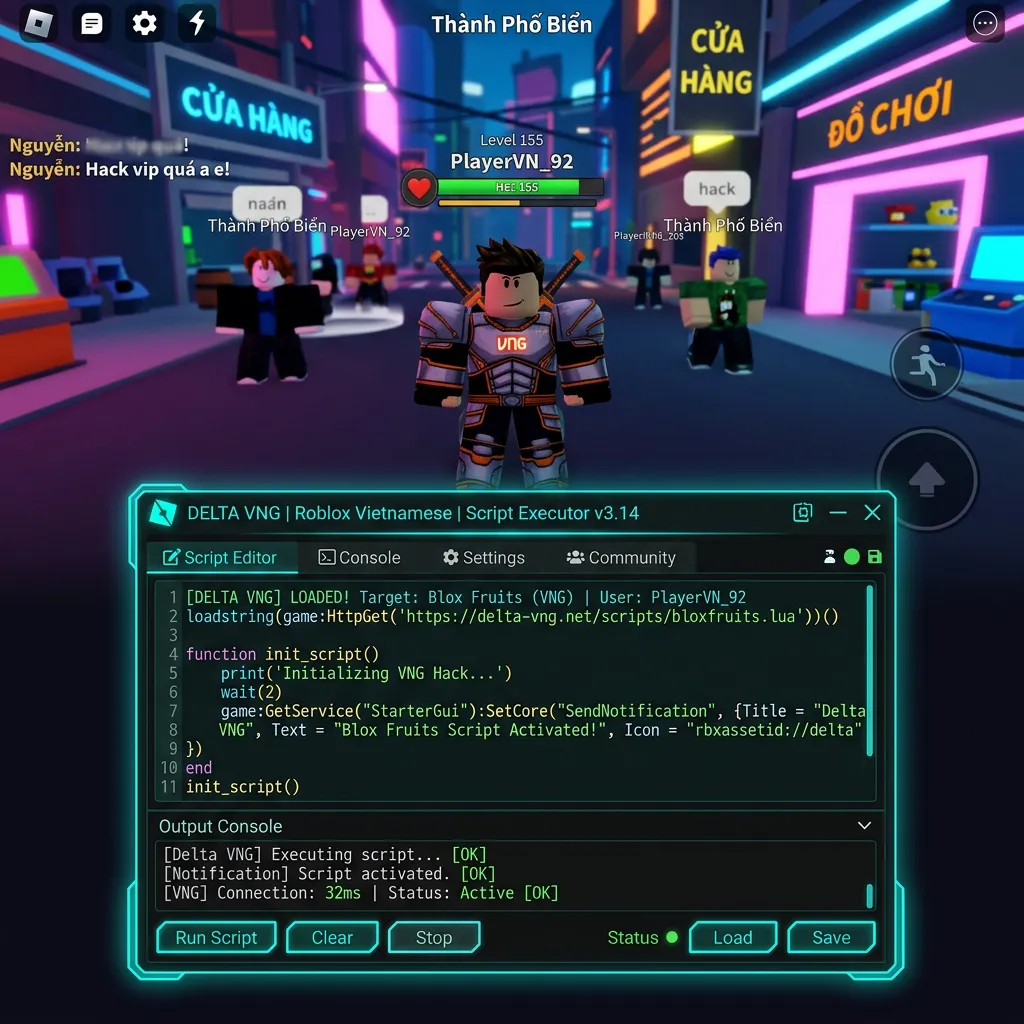
The reason this matters is simple: a third party tool that works with one Roblox client does not automatically work with another client. The Roblox VNG environment has its own regional terms and services. Roblox's current terms specifically identify Roblox VNG as the required application for users in Vietnam. Therefore, users searching for Delta VNG are dealing with a platform-specific compatibility question.
What Is Roblox VNG?
Roblox VNG is the Roblox application and service environment used for players in Vietnam.
Roblox's current Terms of Use say that users in Vietnam are required to use the Roblox VNG application and associated services. The terms also explain that Roblox Vietnam is operated in Vietnam by Minh Phuong Thinh Communication Company Limited under separate terms. Roblox also maintains a dedicated FAQ for the Roblox VNG launch.
Importantly, Roblox's support information says users can use an existing Roblox account with Roblox VNG, and Roblox VNG users can still play and interact with players outside Vietnam. So Roblox VNG is not simply a completely separate game with a different account system. It is a regional Roblox environment with its own application and service arrangements.
Why Does Delta Need a VNG Version?
This is the question many Delta pages explain poorly: the key issue is client compatibility. The global Roblox application and Roblox VNG are not necessarily identical environments. A third party tool designed around the global Roblox client may therefore fail when used with Roblox VNG.
That can result in problems such as Delta not attaching correctly, scripts failing, Roblox closing, connection errors, blank screens, key problems, injection failures, and Delta opening but not interacting with Roblox. This does not automatically mean that Delta itself is broken. The problem may be that the wrong Delta build is being used with the wrong Roblox client.
Delta Global vs Delta VNG
This is one of the most important distinctions for Vietnamese users.
| Global Delta | Delta VNG |
|---|---|
| Intended around the global Roblox environment | Intended around Roblox VNG |
| Used by players outside the VNG environment | Focused on the Vietnam Roblox environment |
| Global Roblox client | Roblox VNG client |
| Global compatibility updates | VNG-specific compatibility considerations |
| Not automatically compatible with Roblox VNG | Designed around the VNG environment |
The key word is compatibility. It is not accurate to assume that a newer global Delta version is automatically better for a Roblox VNG user. If you are using Roblox VNG, the relevant question is whether the Delta VNG build is compatible with your current Roblox VNG release.
Who Needs Delta Executor VNG?
Delta VNG is primarily relevant to users who are actually using the Roblox VNG environment. If you are outside Vietnam and use the normal global Roblox application, you generally do not need a VNG-specific build. Public Delta sources also describe the VNG release as region-specific.
The easiest way to decide is to first identify your Roblox application. If you are using Roblox VNG, look for the VNG-compatible Delta build. If you are using global Roblox, use the global compatibility guide instead.
Can You Use Global Delta With Roblox VNG?
You should not assume that you can. Public Delta sources specifically warn that the global version may not work with Roblox VNG. If you are experiencing connection errors, injection failures, crashes, scripts not running, or blank screens, one of the first things to check is whether you installed the global build instead of the VNG build. This is a much better first troubleshooting step than repeatedly reinstalling the same application.
Delta Executor VNG Latest Version
Version information in this niche changes quickly, and current public sources already show different numbers. One page currently lists v2.735, while another lists v2.729. That disagreement is important. It means we should not copy a version number from a competitor and call it “official.”
For the new Delta VNG page, the better approach is: check the latest verified version, confirm Android platform, check Roblox VNG environment, and check the known issues list. This creates a more trustworthy information layer than simply publishing the biggest version number available.
What Features Do Users Look For in Delta VNG?
The exact feature set depends on the current release. Users generally look for: Roblox VNG compatibility, script execution (the central purpose of Delta), mobile support, script management, a key or activation system, regular updates, and troubleshooting support. We should not label every feature as permanent because features can change between releases.
Delta VNG Android Requirements
There is no single official Delta VNG hardware specification that applies to every release. The practical requirements are: a compatible Android device, supported Android version for the current build, Roblox VNG installed, enough free storage, stable internet connection, and a compatible Delta VNG release.
The Android version and device requirements can change as the application changes. This is why an old article claiming one permanent minimum Android version can become misleading.
How to Check if You Are Using Roblox VNG
Before installing Delta VNG, first identify your Roblox application. If you are a user in Vietnam, Roblox's current terms state that you are required to use the Roblox VNG application and associated services.
You can also check the application name and the support information associated with your Roblox installation. Do not install Delta VNG simply because the word “VNG” appears in a download title. The Roblox client you actually use is what matters.
How to Download Delta Executor VNG
The safest workflow is to identify the correct build before downloading anything:
Step 1: Confirm Roblox VNG
Make sure you are using the Vietnam Roblox environment.
Step 2: Check the Delta VNG version
Do not rely on a version number copied from another site. Check the current release information.
Step 3: Check the file details
Look at: File name, Version, File size, Update date, Source, and Android requirements.
Step 4: Check the file before opening it
If possible, scan the exact APK using a reputable malware scanning service. A download page saying “100% safe” is not proof.
Step 5: Keep your Roblox credentials private
Never enter your Roblox password into an unknown Delta download or key website. Roblox provides account security guidance and warns users about phishing and account theft.
How to Install Delta Executor VNG on Android
The exact installation process can vary between Android versions.
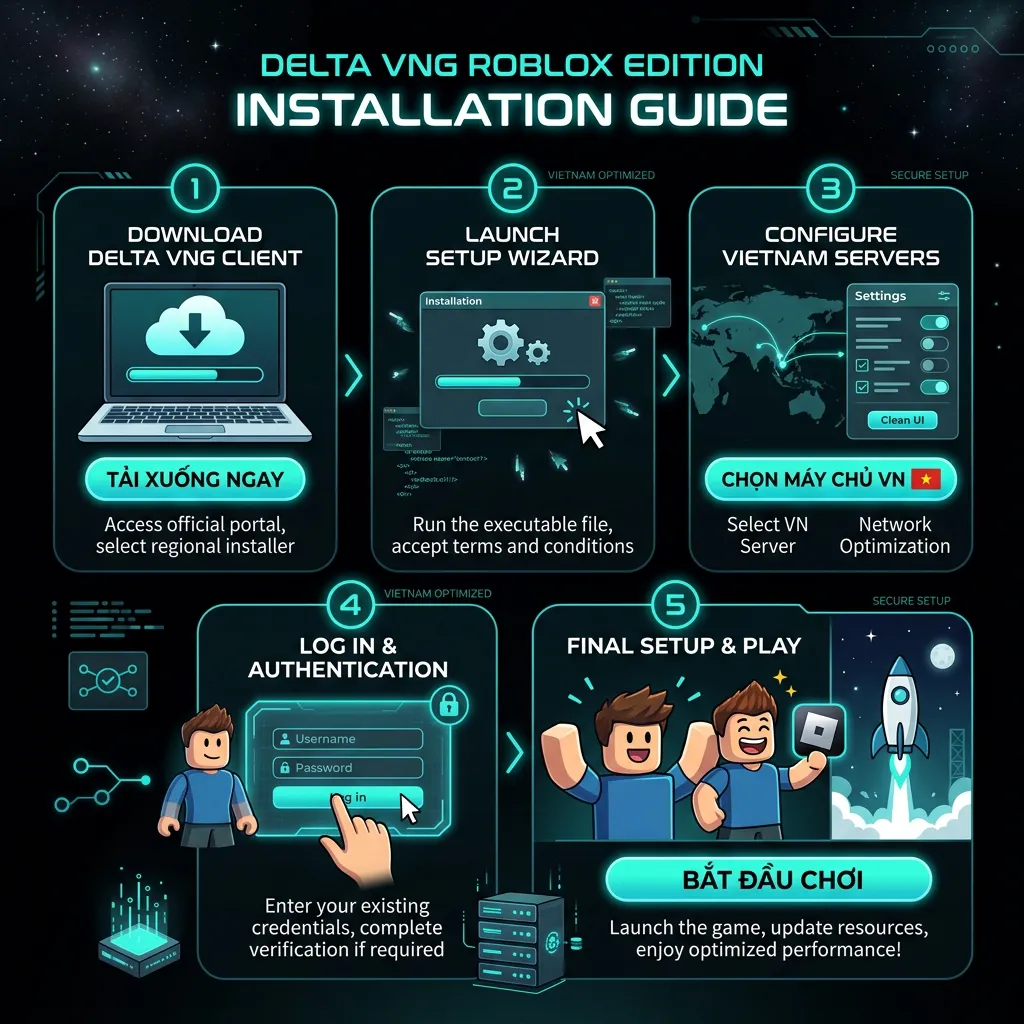
The general APK process is:
- Download the VNG APK: Save the file to your Android device.
- Open the downloaded file: Find it in your browser's download folder or file manager.
- Review Android's installation warning: Android may ask whether the browser or file manager can install applications from that source. Only continue if you understand where the APK came from.
- Install the application: Allow Android to complete the installation.
- Open Delta VNG: Launch the application after installation.
- Follow the current setup: If the current build requires a key or another activation step, follow the instructions for that version.
- Test the Roblox VNG environment: Do not immediately assume that every script will work. First determine whether Delta itself is operating correctly.
Why Is Delta VNG Better Than Global Delta for Vietnam?
The more accurate answer is: it is intended for a different Roblox environment. The advantage is not that the VNG build is automatically “better.” The important point is compatibility.
Roblox's own terms establish a separate Roblox VNG environment for users in Vietnam. If the global Delta build expects the global Roblox client, using it with Roblox VNG can create compatibility problems. A VNG-specific build is therefore the relevant version to investigate for that environment.
Delta VNG Not Working
If Delta VNG stops working, do not immediately reinstall the application. First identify what changed. Ask: Did Roblox VNG update? Did Delta VNG update? Did the key system change? Does Delta open normally? Does Roblox VNG open normally? Does only one script fail? Is the problem happening to other users too? These questions can quickly narrow down the cause.
Delta VNG Connection Error
A connection error can come from several places: internet connectivity, Delta service, Roblox VNG service, key system, outdated Delta version, outdated Roblox VNG version, or temporary server problems. Current Delta-related community material has specifically documented connection-error troubleshooting for Delta on Android.
The best first step is to determine whether other online applications work normally. Then check whether Roblox VNG itself can connect. If Roblox VNG works but Delta cannot connect, investigate Delta separately.
Delta VNG Crashing
A crash can happen at different points:
- Delta crashes immediately: Check the APK and Android compatibility.
- Delta crashes when Roblox VNG opens: Check whether the current Delta build supports the current Roblox VNG release.
- Roblox VNG crashes after Delta starts: The environment may be incompatible.
- One game crashes: The issue may be specific to that experience or script.
This distinction is important because “Delta crashes” and “Roblox VNG crashes” are not necessarily the same problem.
Delta VNG Not Injecting
If the application opens but does not interact correctly with Roblox VNG, check: Are you using the VNG build? Is Roblox VNG updated? Is Delta VNG updated? Did the problem begin after a Roblox VNG update? Does the problem affect every script? Is the key system working? Are other users reporting the same problem? Do not assume that downloading a newer global Delta build will fix a VNG compatibility problem.
Delta VNG Scripts Not Working
If Delta VNG opens but a script does not work, separate the executor from the script:
- One script fails: The script may be outdated.
- Every script fails: Investigate Delta and Roblox VNG compatibility.
- Scripts stopped after an update: Check whether Roblox VNG changed.
- Script works globally but not on VNG: The script may depend on behavior that differs between the two environments.
This is an important content gap because many pages simply say “all scripts work” without explaining compatibility. We should never make that guarantee.
Delta VNG Key Not Working
If your version uses a key system, a failed key can have several causes: expired keys, verification service unavailability, browser problems, different key system setups in the current build, or key mismatches between releases.
Before getting another APK, check whether the current Delta VNG installation is actually using the correct key process.
Delta VNG Key Keeps Loading
If the verification page never finishes loading, check your connection (try a stable one), check your browser (some features might be required), check the key server status, or confirm your version (older builds might use outdated key processes). Do not enter your Roblox password into a key page simply because it claims that verification requires it.
Delta VNG After Roblox Update
This is one of the most important troubleshooting topics. When Roblox VNG changes, a third party tool may need time to adapt. The sequence can look like: Roblox VNG update ➔ Compatibility changes ➔ Delta VNG may stop working ➔ Users report errors ➔ New Delta VNG build may appear.
This is why users should check the date of the Delta VNG release before assuming that an old build is still current.
Why Does Delta VNG Stop Working After an Update?
The problem can be caused by a change in the Roblox VNG client. It can also come from a Delta VNG update, script update, key system change, device compatibility, network problems, or service outages. If everything worked before the Roblox update and stopped immediately afterward, compatibility should be one of the first things investigated.
Delta VNG vs Delta Android
These two pages should not be treated as duplicates:
Delta Android: For users working with the global Roblox environment.
Delta VNG: For users working with Roblox VNG.
The difference is the Roblox client and regional environment, not simply the word “Vietnam” in the file name. This is why our site maintains separate guides.
Delta VNG vs Roblox VNG
These names are easy to confuse:
Roblox VNG: The regional Roblox application and service environment for Vietnam. Roblox's current terms specifically identify it as the required application for users in Vietnam.
Delta VNG: A third party tool associated with scripting in the Roblox VNG environment.
Delta VNG is not part of Roblox VNG itself, and it should not be described as an official Roblox or VNG product.
Is Delta VNG Official?
No. Do not confuse Roblox VNG with Delta VNG. Roblox VNG is the official Roblox regional application environment described in Roblox's terms. Delta VNG is a third party tool associated with Roblox scripting. That distinction should always be clear.
Is Delta VNG Safe?
There is no responsible way to say that every Delta VNG APK found online is safe. The biggest issue is the file source. A website can copy the Delta name and distribute a modified APK.
Before installing a third party APK, consider: where it came from, whether the source is trustworthy, whether the version matches the published release, whether the file has been scanned, what permissions it requests, and whether the application asks for sensitive account information. Do not trust a simple “100% safe” badge. The exact APK matters.
Can Delta VNG Steal Your Roblox Account?
A malicious modified application could create account and device security risks. Roblox's support resources emphasize protecting account credentials and provide guidance for hacked or compromised accounts.
The safest rule is: never give your Roblox password to an unknown Delta website, script page, or key service. If a page asks for information that does not make sense for the task, stop.
Can Delta VNG Get You Banned?
There is a genuine Roblox account risk associated with exploiting. Roblox's Terms and anti-cheat guidance apply to Roblox VNG users as well, and activities on Roblox Vietnam must comply with Roblox Community Standards.
Therefore, no website should promise zero ban risk, anti-ban protection, completely undetectable execution, or permanent immunity. Those claims cannot be guaranteed. If your Roblox account is important, understand the rules and risks before using third party tools.
Can You Use Delta VNG Outside Vietnam?
The VNG build is intended for the Roblox VNG environment. If you are outside Vietnam and use the global Roblox client, the regular Delta information is more relevant. Public Delta sources similarly describe the VNG build as a Vietnam-specific release. The important factor is not simply your physical location; it is which Roblox environment you are actually using.
Can Vietnamese Players Use a Normal Roblox Account With Roblox VNG?
Yes. Roblox's official VNG FAQ states that users can use an existing Roblox account to sign in to the Roblox VNG application. It also states that Roblox VNG players can play and interact with users outside Vietnam. This is useful information because some users assume that moving to Roblox VNG means losing their existing Roblox identity. That is not what Roblox's current FAQ says.
Can Roblox VNG Players Play With Global Players?
Yes. Roblox's official FAQ says players using Roblox VNG can play and interact with players outside Vietnam. This means the regional application does not automatically isolate Vietnamese users from the wider Roblox player base.
Delta VNG iOS
Be careful with claims about a VNG iOS executor. Public sources currently disagree about the availability and status of Delta VNG on iOS. For standard Apple mobile setups, read the Delta iOS Guide. Some pages advertise VNG iOS files, while other Delta sources state that an official VNG iOS release has not been announced.
Because these claims conflict, we should not publish an unverified iOS VNG download claim as fact. For iPhone and iPad users, the current iOS status should be verified separately before publishing a version number or installation method.
Delta VNG Android Installation Problems
- “App Not Installed”: Possible causes include a damaged APK, incompatible Android version, existing conflicting package, insufficient storage, or incorrect package architecture. Check the file before downloading another copy.
- Delta VNG Opens Then Closes: Possible causes include an outdated build, Roblox VNG update, device incompatibility, damaged installation, or service problems.
- White Screen: A white screen can result from an application or compatibility problem. Check whether Roblox VNG itself opens normally, then check whether the Delta VNG build is current.
- Connection Error: Check your internet, Roblox VNG service, Delta service, key system, and current versions.
- Scripts Do Not Execute: Determine whether it is a script-specific error, a general executor problem, or related to a recent Roblox VNG or Delta update. This prevents unnecessary reinstallations.
How to Update Delta VNG
Before updating, check: current VNG version, Roblox VNG version, release date, known problems, and changelog. Do not update simply because another website displays a higher number. Current public pages already demonstrate why this matters: different Delta VNG sources currently publish different version numbers. A version number without verification is not enough.
Delta VNG Version History
| Version | Main change | Roblox VNG status |
|---|---|---|
| v2.735 | Current verified release | Compatible |
| v2.729 | Previous build stability fixes | Outdated (Requires Update) |
| v2.727 | Older build layout tweaks | Outdated |
Older builds should be treated as historical information rather than automatically recommended downloads. An older application may contain compatibility or security problems.
How to Know If Delta VNG Is Down
Do not assume every error means the servers are down. Check several things: Is Roblox VNG working? If yes, that's a good sign. Does Delta VNG connect? If no, it could indicate a Delta service issue. Does the key system respond? If no, it could be a verification problem. If multiple users report the same error, a wider service problem is likely. If only your device fails, investigate your phone, network, installation, and version. This is a much better status model than a simple green “working” badge.
Delta VNG Status Guide
For our site, the ideal status section should eventually separate:
| Component | What to check |
|---|---|
| Roblox VNG | Does the official app open? |
| Delta VNG | Does the current build launch? |
| Key | Does verification respond? |
| Scripts | Do compatible scripts execute? |
| Connection | Can the services be reached? |
| Version | Is the build current? |
Best Practices for Delta VNG Users
- Check the Roblox client first: Make sure you know whether you are using Roblox VNG or the global client.
- Use the correct Delta build: Do not install the global version simply because its version number is newer.
- Verify the APK: Check its source and scan the exact file where possible.
- Protect your account: Never share your Roblox password with an unofficial service.
- Keep track of updates: Roblox changes can affect third party compatibility.
- Do not trust “100% safe” claims: Look for evidence rather than marketing language.
- Understand Roblox's rules: Using exploit tools can create account risk.
Frequently Asked Questions
What is Delta Executor VNG?
Delta Executor VNG is a third party Roblox scripting tool associated with the Roblox VNG environment used in Vietnam.
What is Roblox VNG?
Roblox VNG is the Roblox application and associated service environment for users in Vietnam. Roblox's current terms state that users in Vietnam are required to use Roblox VNG.
Why is there a separate Delta VNG version?
The VNG Roblox environment is a regional Roblox client, so third party compatibility can differ from the global Roblox client.
Does global Delta work with Roblox VNG?
It should not be assumed to work. Public Delta sources specifically distinguish the VNG build from the global build.
Who should download Delta VNG?
It is mainly relevant to users working with Roblox VNG in Vietnam.
Can I use Delta VNG outside Vietnam?
If you use the global Roblox client, the VNG build is generally not the version you need. The important factor is your Roblox environment.
Is Delta VNG available for Android?
Public Delta sources currently advertise Android VNG builds.
Does Delta VNG work on iPhone?
The iOS status is less clear. Public sources currently conflict about VNG iOS availability, so check the current verified release before trusting a download claim.
What is the latest Delta VNG version?
Current public sources disagree, with some listing v2.735 and others v2.729. Because of that conflict, the latest number should be independently verified before being published as current.
Why is Delta VNG not working?
Possible causes include an outdated Delta build, Roblox VNG update, script problem, key issue, connection problem, or device compatibility.
Why does Delta VNG show a connection error?
The problem may involve your network, Delta services, Roblox VNG, the key system, or an outdated application.
Why does Delta VNG crash?
An outdated build, incompatible environment, damaged installation, Roblox VNG update, or service problem can cause crashes.
Why does Delta VNG not inject?
First confirm that you are using the VNG build with Roblox VNG and that both applications are current.
Why do Delta VNG scripts not work?
A script may be outdated or incompatible with the current Roblox VNG environment. If every script fails, investigate the executor and Roblox versions.
Does Delta VNG require a key?
Some Delta releases use a key or verification process. The exact process can change between versions; check the Delta Key Guide for step-by-step instructions.
Is Delta VNG safe?
Do not assume every APK using the Delta name is safe. Verify the source, inspect the file, and avoid giving sensitive account information to unknown services.
Can Delta VNG get my Roblox account banned?
There is a real account risk because Roblox's rules prohibit cheating and exploiting. Activities on Roblox Vietnam must also follow Roblox Community Standards.
Is Delta VNG an official Roblox product?
No. Roblox VNG is the regional Roblox application environment. Delta VNG is a separate third party tool.
Can I use my old Roblox account on Roblox VNG?
Yes. Roblox's official FAQ says existing Roblox accounts can be used with Roblox VNG.
Can Roblox VNG players play with people outside Vietnam?
Yes. Roblox's official FAQ says Roblox VNG users can play and interact with players outside Vietnam.
Why does global Delta work but Delta VNG does not?
The two builds may depend on different compatibility conditions. Check the current Roblox VNG and Delta VNG versions rather than comparing version numbers alone.
Why did Delta VNG stop working after Roblox updated?
A Roblox VNG update can change compatibility with a third party tool. A newer Delta VNG release may be required.
Should I install an older Delta VNG version?
Only when there is a clear reason. Older builds may have compatibility or security problems.
Final Thoughts
Delta Executor VNG exists because Roblox users in Vietnam work with a regional Roblox environment that is different from the standard global setup. Roblox's current Terms of Use explicitly state that users in Vietnam are required to use Roblox VNG and its associated services. Roblox also maintains dedicated support information for the VNG application. That makes compatibility the most important part of understanding Delta VNG.
If you use Roblox VNG, the global Delta build should not automatically be assumed to work. If Delta VNG stops working, check the Roblox VNG version, Delta VNG version, script compatibility, key system, network, and device environment before reinstalling anything.
And when looking for a new VNG APK, do not choose a file simply because a website calls it “latest.” Current public pages already publish conflicting version numbers. A better approach is to verify the actual release, record when it was checked, explain what changed, and clearly separate confirmed information from community claims. That is the standard we should maintain on this site.
Most importantly, Delta VNG is not an official Roblox product, and using third party scripting or exploit software can create account risk under Roblox's rules. Roblox's Vietnam terms also require activity on Roblox Vietnam to comply with its Community Standards. For Vietnamese users, the right starting point is therefore simple: Identify your Roblox client first, use the matching Delta information second, verify the current version before installing, and protect your Roblox account and device at every step.